May 17th, 2025
Hydra 3.5.0 Lumen – New Achievement System + Big Linux Upgrades
👋 Hello again!
We’re excited to introduce the latest version of Hydra — say hello to Lumen!
This is one of our biggest updates yet, packed with new features, improvements, and polish across the board. We've revamped the Achievements System, enhanced Linux support, and upgraded Cloud Save functionality.
🌟 New Achievements System
Something many of you have been asking for is here: better achievement notifications!
Previously, we relied on Windows’ native notifications, which required a bit of tweaking to work properly (and still didn’t feel quite right).
Now, we’ve brought back our custom-rendered achievement notifications, completely redesigned and improved:
Achievements now have rarity tiers:
🟩 Common
🟦 Rare
🟪 Platinum (a.k.a. flex mode)
🎨 Achievements + Themes = 🔥
Theme creators, we didn’t forget about you.
You can now fully customize the look of achievements within your themes!
Our embedded code editor even includes a live preview for each variation so you can see exactly how your notifications will appear.
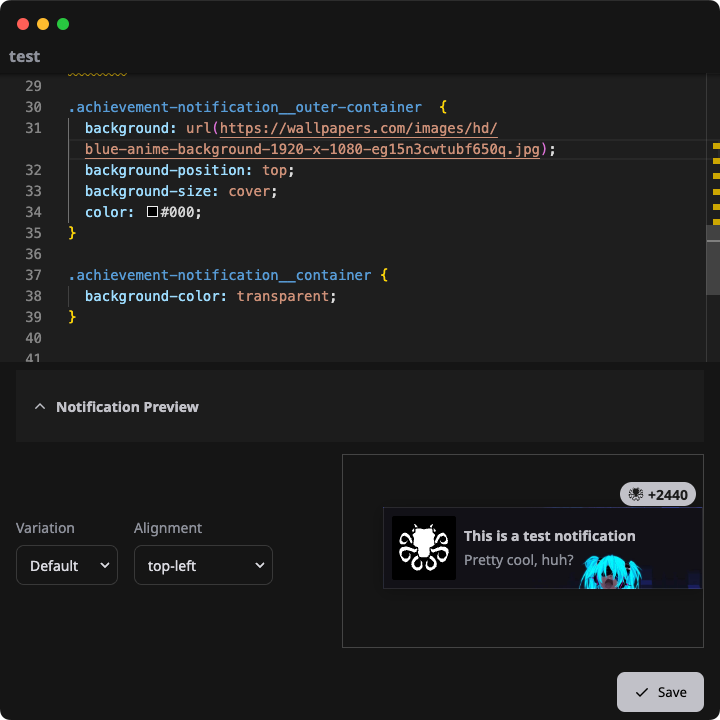
Also: the Theme Shop now shows which themes support achievement customization — no need to resubmit your theme. Just push an update with your customizations and the shop will auto-detect it!
 |  |
🐧 Linux Love
Hydra is a favorite among Linux users and Steam Deck owners, and we’re committed to making it even better:
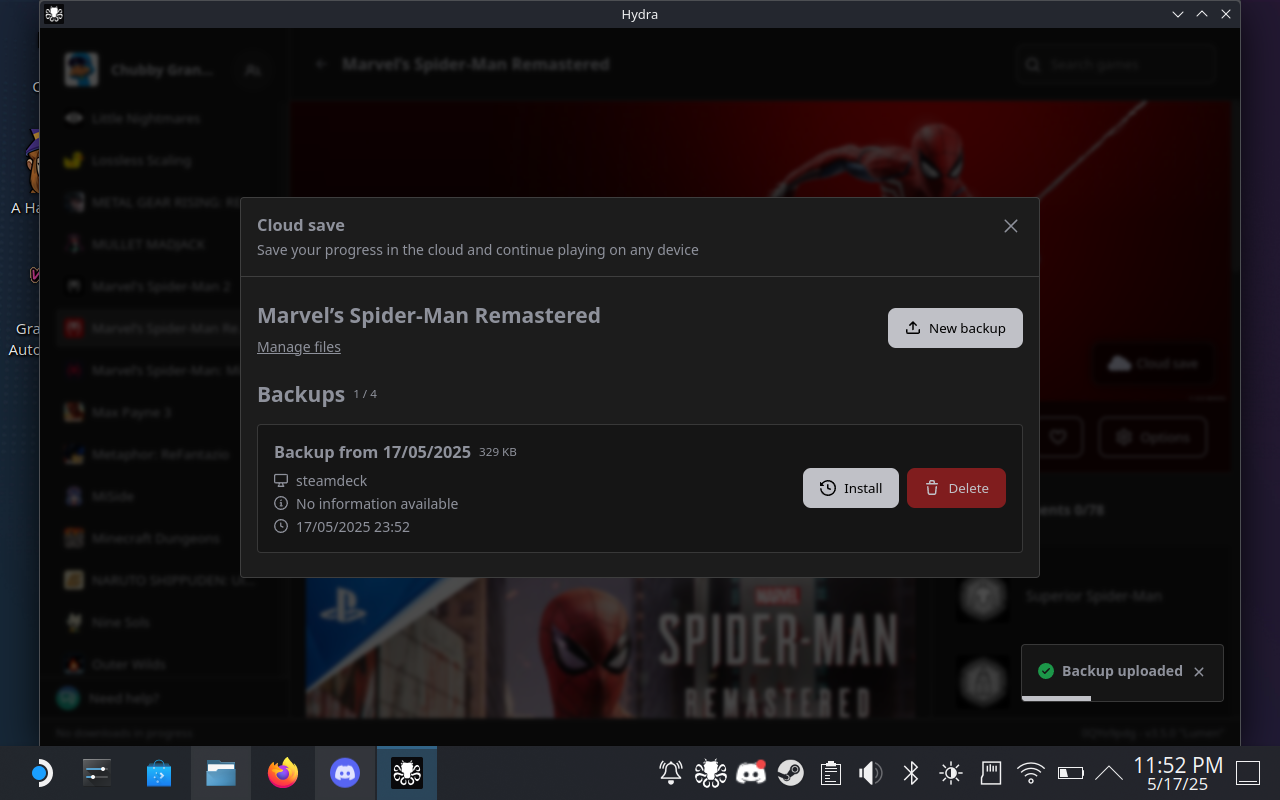
☁️ Seamless Cross-Platform Cloud Save
Hydra’s Cloud Save system now works flawlessly between Windows and Linux.
The only setup required on Linux is mapping your Wine Prefix — and we have a helpful guide for that in our Help Center.
Once that’s done, backing up and restoring saves across platforms is seamless.
📦 Built-in Aria2 Library on Linux
Installing Aria2 manually — especially on the Steam Deck — used to be a pain.
That’s why we’ve now bundled Aria2 directly with Hydra on Linux. No setup needed — it just works.
🎮 Add Non-Steam Games, the Right Way
You can now add Non-Steam Shortcuts directly from Hydra.
This not only adds the executable to your Steam library — it also passes along library assets like icons and banners to make it look amazing in Game Mode.
To use this:
Go to a game’s screen → Options → Select an executable → Create Steam Shortcut
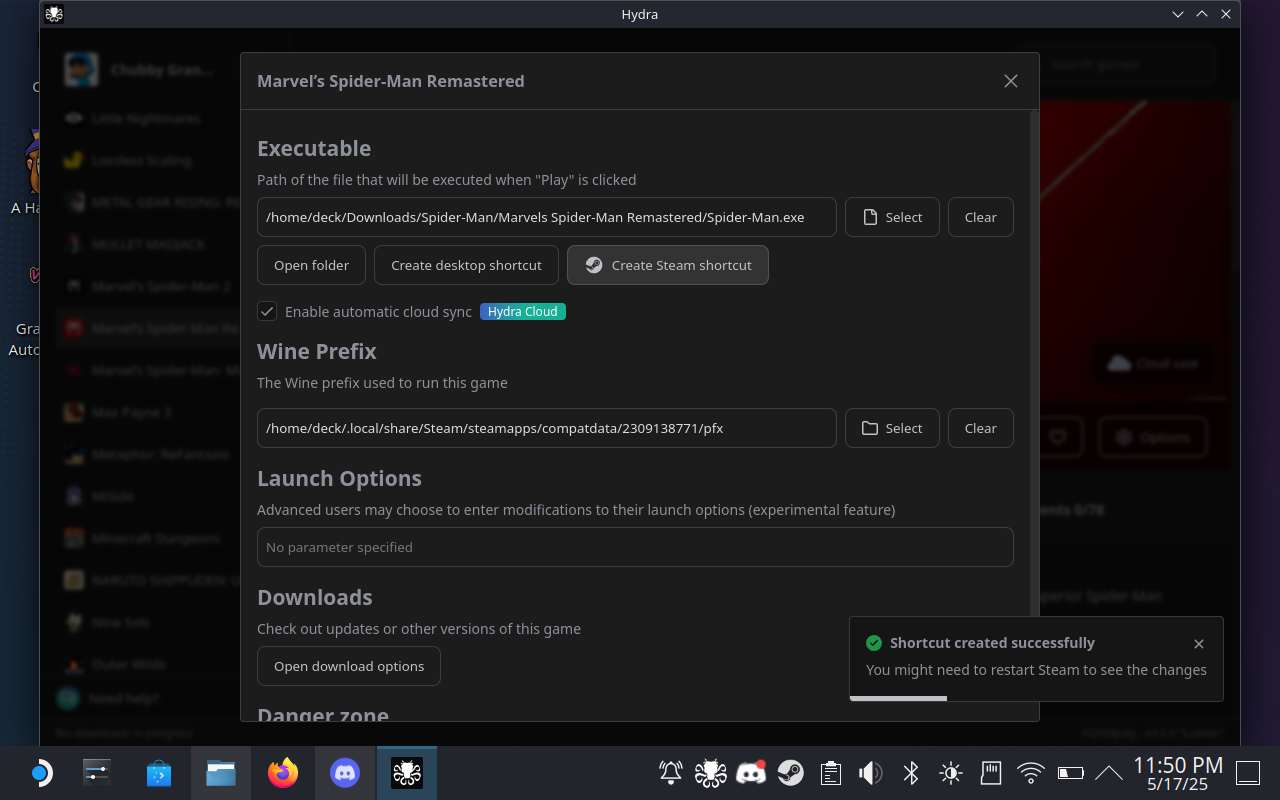
And if you’re on Linux? Hydra will automatically create and map the Wine Prefix for the game, so Cloud Save works out of the box. How cool is that?
 |  |
We hope you love this update as much as we loved building it.
We can’t wait to see the amazing themes you create — and how you style those achievements! 🏆
Until next time — have fun and game on!